
Steps shown in this clip
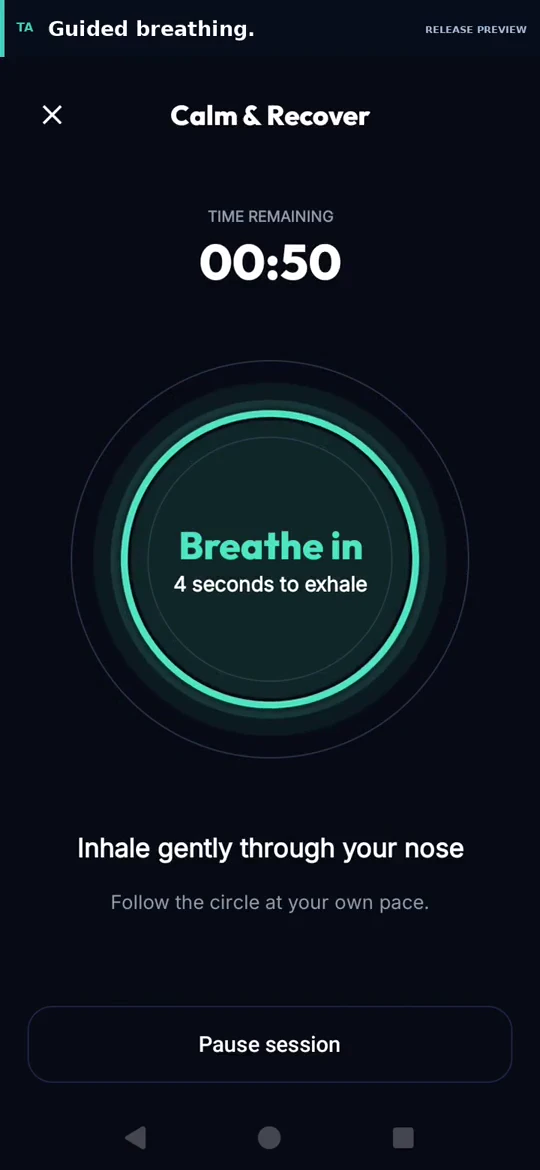
- Choose Calm & Recover and a session length.
- Follow the visual inhale and exhale cues at the recorded pace.
- Pause when needed. This feature is in testing.
4 seconds in.
6 seconds out.
Choose 1, 3 or 5 minutes.
TRAIN ATHLETE / APP UPDATES
Guided breathing and a clearer way to follow exercise technique.
The next Android update brings short breathing sessions into Recovery and puts technique cues beside your exercise demonstrations.
These features are in the test build. Google Play availability will be confirmed when the update is released.
 Enlarge screen
01 / RECOVERY → BREATHE
Follow an animated breathing circle through a session you choose. A short countdown gives you time to settle before the first breath.
Pause and resume when you need to. Sessions pause when you leave the app, and sound and haptics are optional.
Completed sessions are saved on your device, separately from workout history and personal records. An unfinished session does not count as a completed session.
In the update, open Profile → Recovery → Breathe. Breathing sessions are a general wellbeing feature.
02 / ACTIVE WORKOUT → DEMO + TIPS
A larger exercise viewer brings demonstrations and technique cues into the same place during your workout.
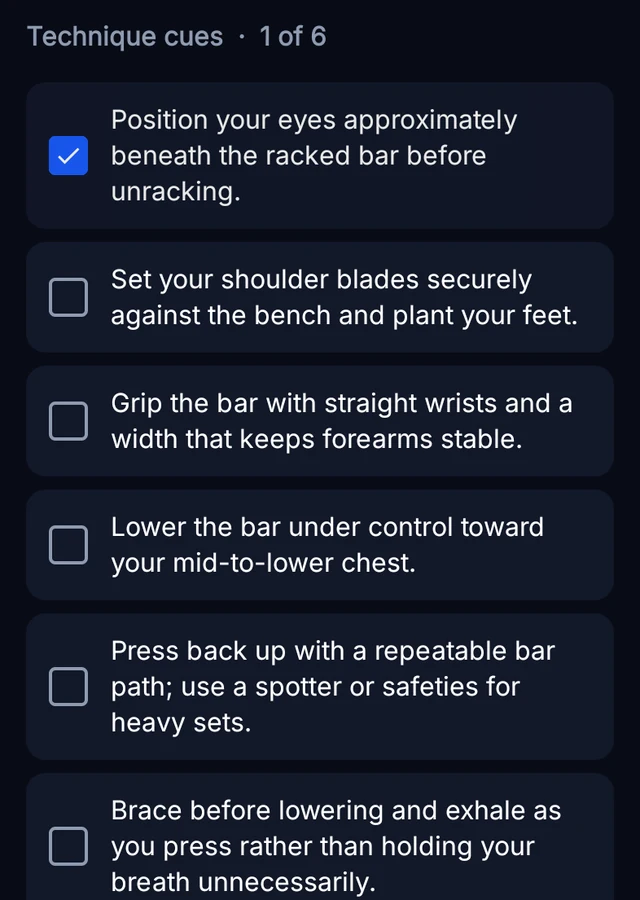
Technique cues are moving into a slim expandable row beneath the demonstration. Open the checklist when you want a pointer, then collapse it to keep the video in view. The recorded cue content below comes from the Android test viewer.
 Enlarge screen
Start a workout and open an exercise’s Demo and Tips viewer.
Open the Technique cues row for an exercise-specific checklist.
Return the space to the demonstration when you are ready. Demonstrations remain subject to availability.
The checklist belongs to that exercise in your current workout. Tips can still be read when its demonstration is unavailable.
RELEASE AVAILABILITY
This page describes features currently in testing. It will be updated when the release is available on Google Play.
The Android app is already available for workout planning, logging and progress review. Explore strength training, hybrid training or app support.
The current Google Play version may not include the features shown above.